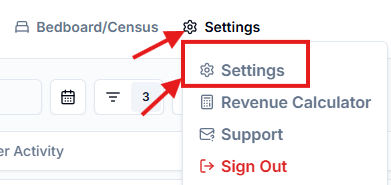
If you ever need to update your profile, you can click on “Settings” along the trop bar and then “settings” again. From there, you can click on “Update Profile” . From there you can edit your name, email address, or phone number.
Click the “Settings” dropdown men
Select “Settings”
Your Profile Detail page will appear. From here you can update your name, email address, phone number, and add a profile picture