
If you are an administrator, you can add as many new users to your organization as needed. There are two ways to do this.
Option 1:
Click your organization name in the upper right hand corner
Click “Manage”
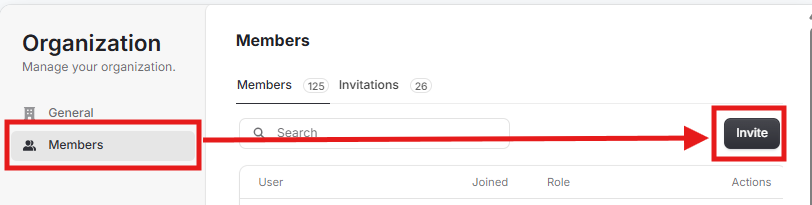
Click ““Members” then “Invite”
Enter the email address of the new member(s) you would like to invite and their role(s) if applicable.
Option 2:
Hover over the “Admin” drop down
Select “Orgs, Facs, Refs, &Users” then “Organizations
Click your organization name then “Invite User”
Enter the email address of the new member you would like to invite and their role, if applicable.