
Step 1:
Go to this link: Microsoft Security.
If you see a message indicating restricted access, you may need to request assistance from the account administrator.

Step 2:
After accessing the link, you will be redirected to the Microsoft Security page
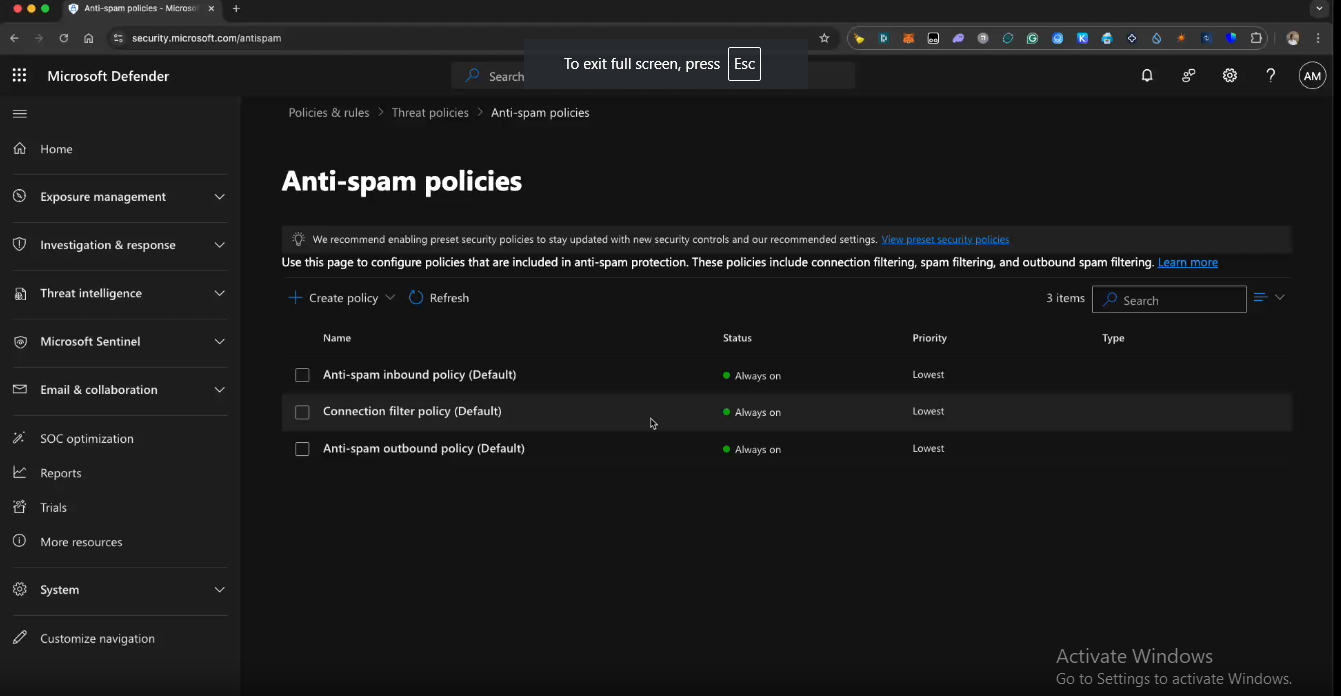
Step 3:
Click on Anti-Spam Outbound Policy.
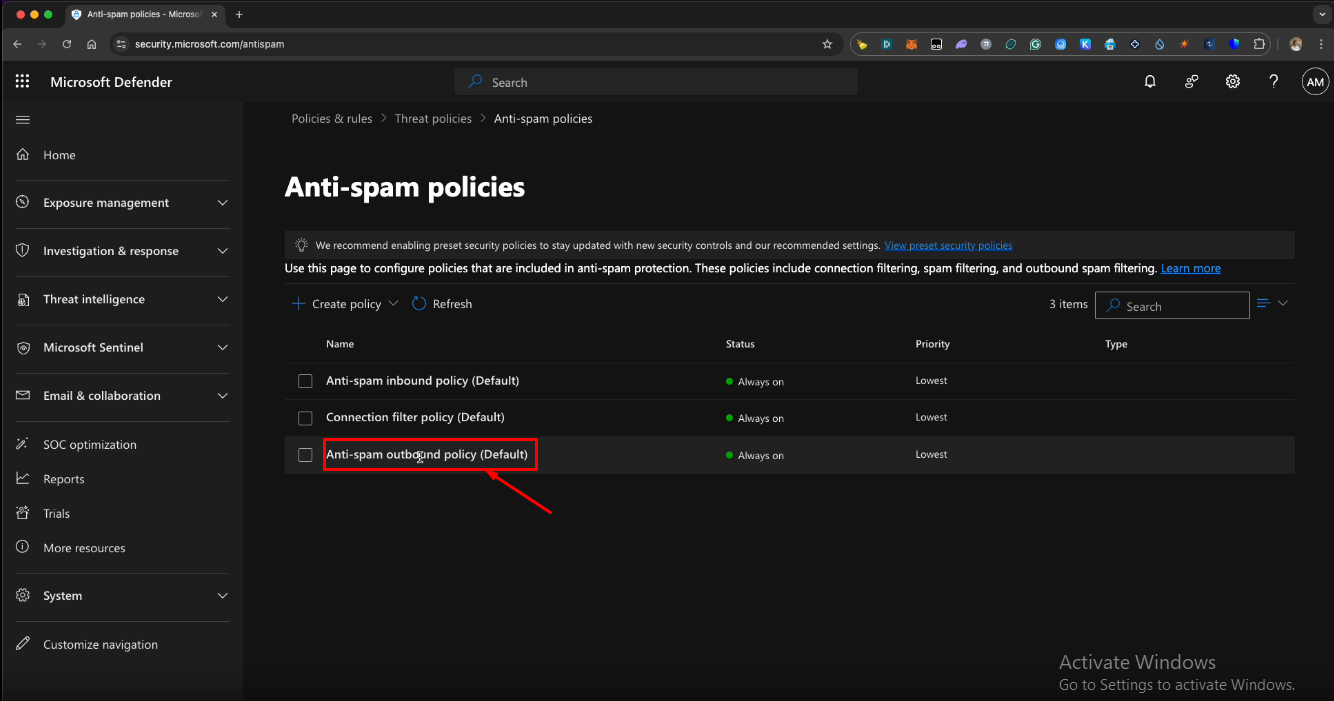
Step 4:
Once you click on Anti-Spam Outbound Policy, a new screen will appear.
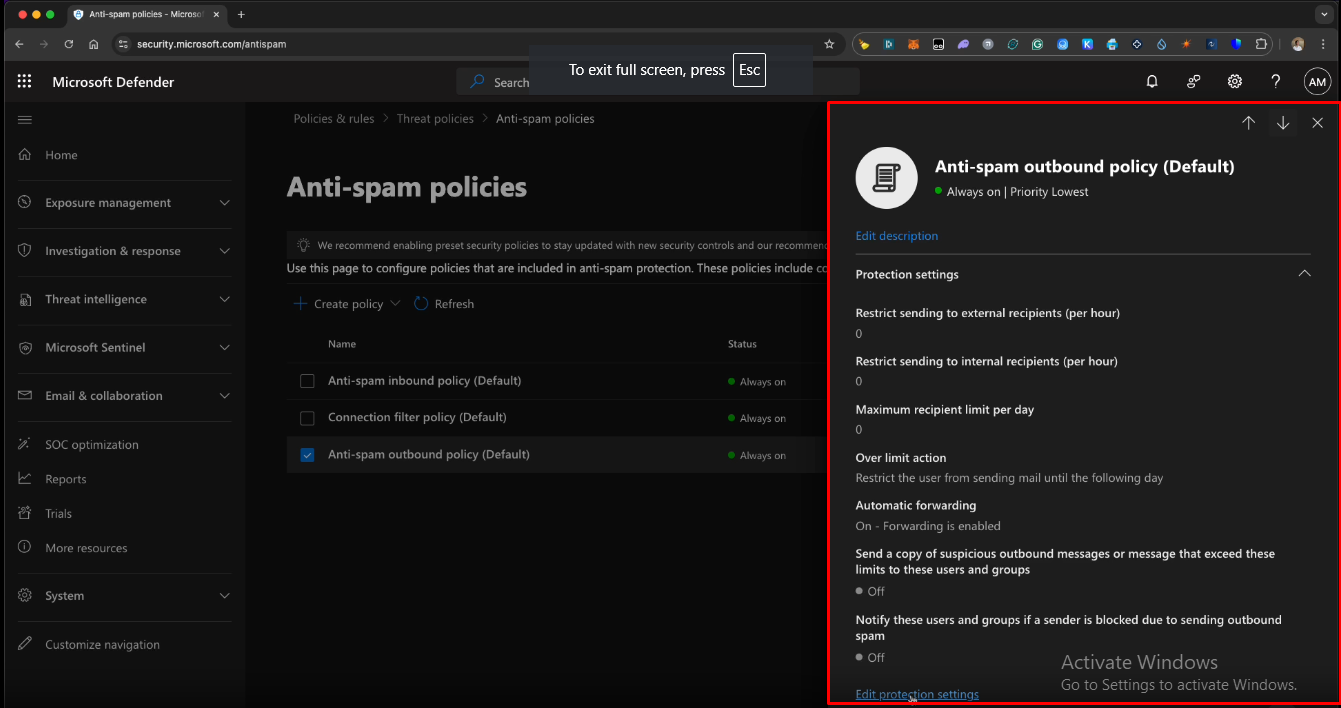
Step 5:
Click Edit Protection Settings
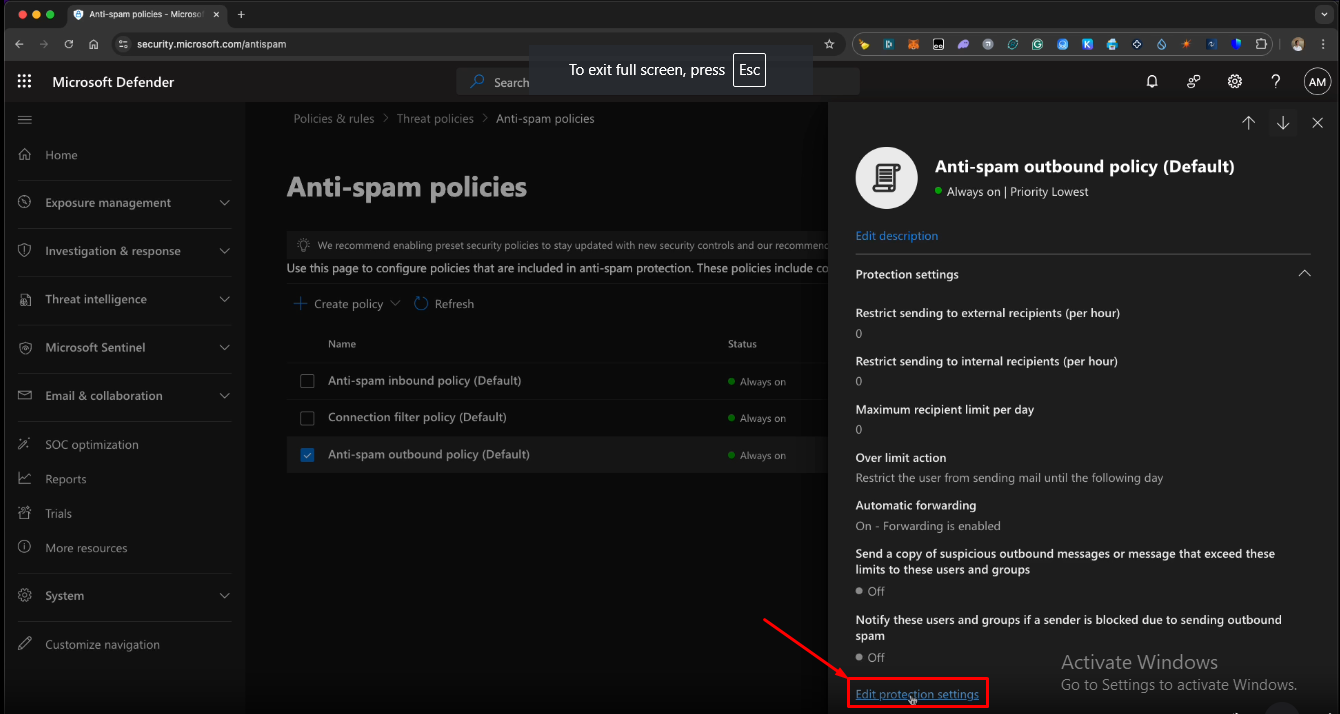
Step 6:
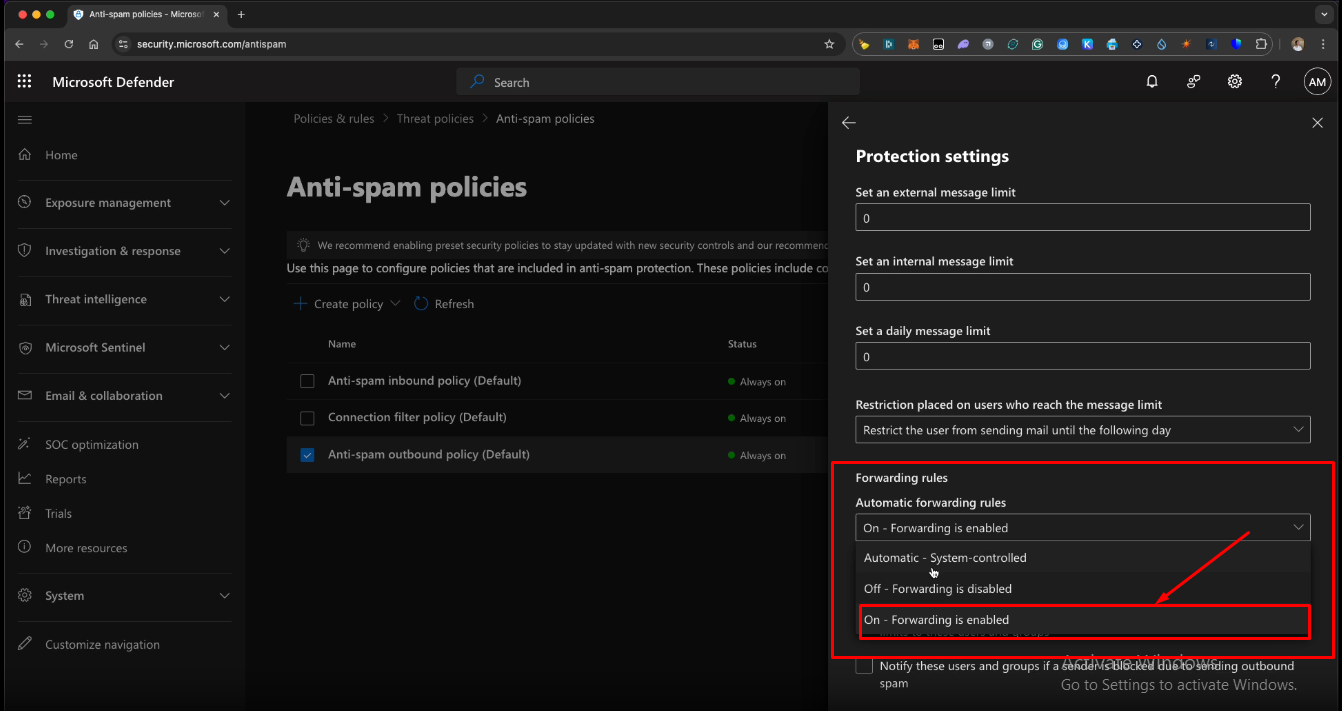
Locate the Automatic Forwarding Rules section. By default, it may be set to "Automatic." Change this setting to "On – Forwarding is Enabled."
Step 7:
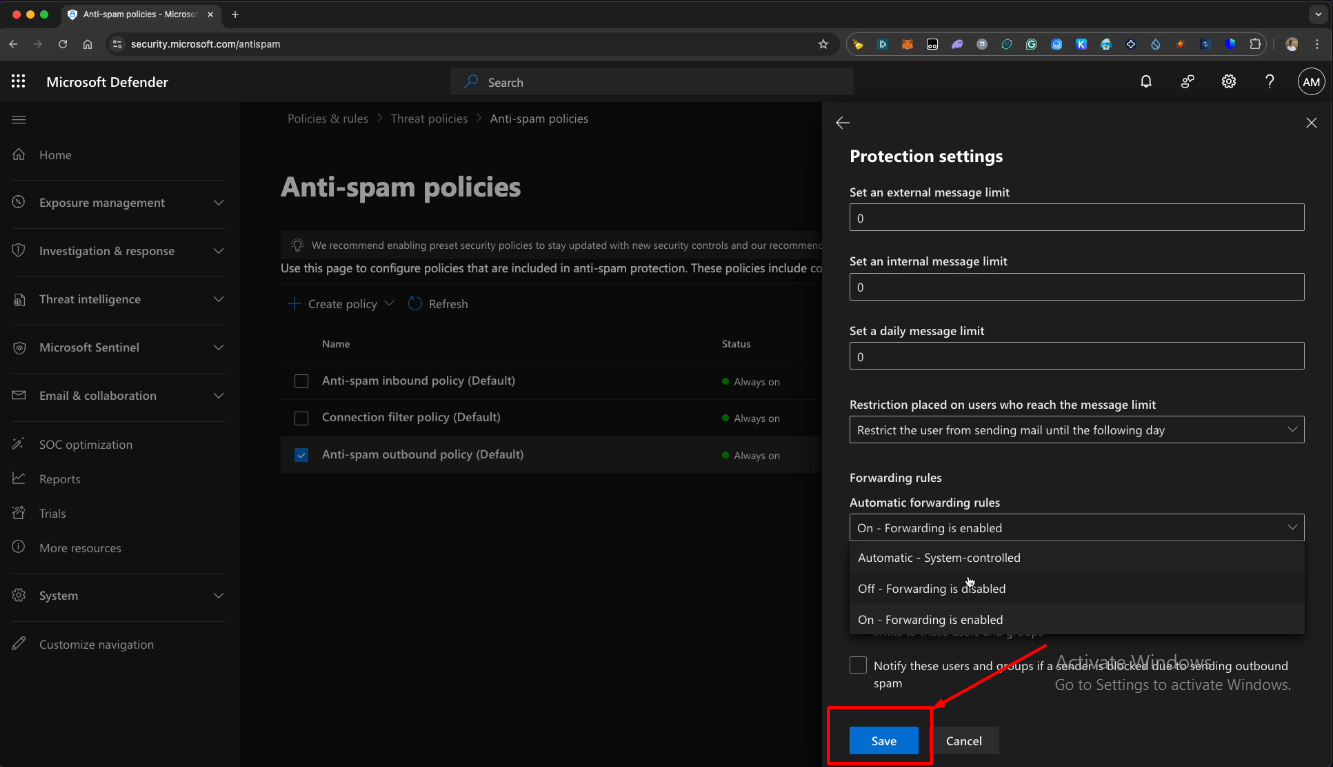
Click Save to apply the changes.
NOTE: as long as external forwarding is allowed to the domain exponentialplatform.com, this is enough.
How to Test if Your Company Outlook Email Allows Automatic Forwarding